· By Nicholas “Nick” O'Sullivan, Townsville
Starting a charity or small business in 2026: the technology decisions that matter early
Starting a charity or small business involves a run of decisions most founders and committees only ever make once, which is exactly why they are easy to get wrong. Some of those decisions are pure paperwork. Others — which email platform, which communications tool, which phone setup — quietly become the foundation everything else sits on for years. This is a practical walk-through of both, in the order they usually need to happen.
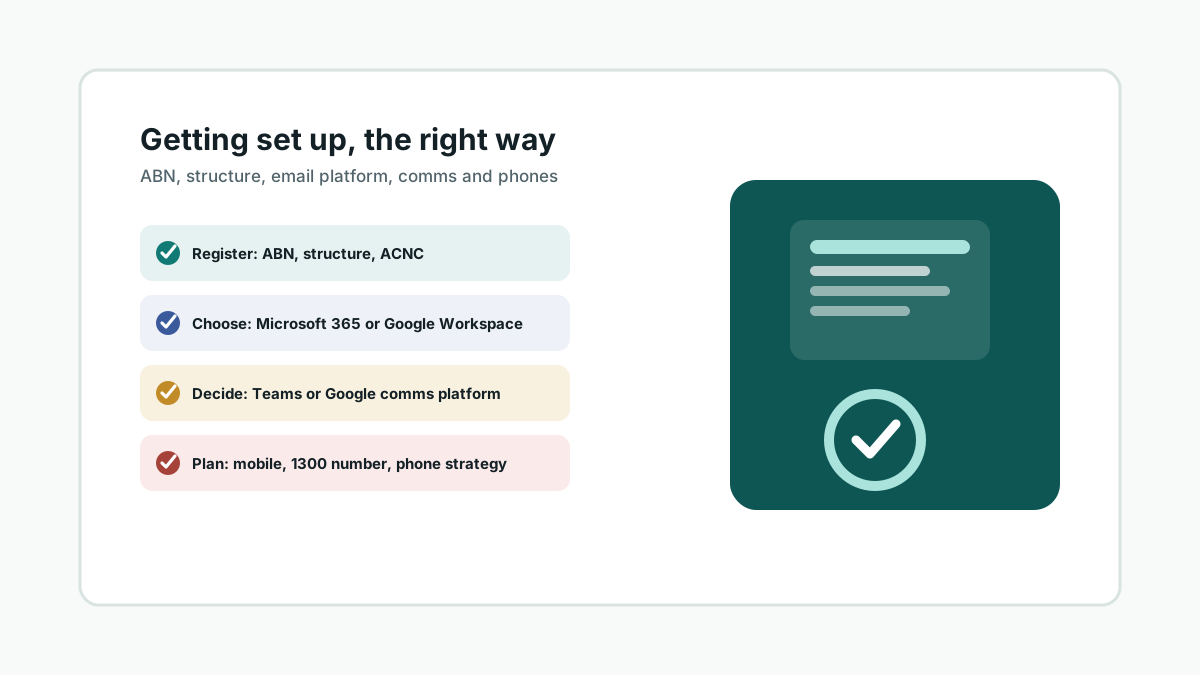
Start with the registration basics. An ABN is the first step for almost any structure, applied for directly through the Australian Business Register. Alongside that comes the structure decision — sole trader, partnership, company or incorporated association — which business.gov.au’s Business Registration Service (run jointly with ASIC) can walk through in one place rather than several separate forms. If you’re setting up a charity rather than a business, the ACNC’s “starting a charity” guidance covers the additional registration and governance steps, including what your organisation needs before it can seek DGR or tax-concession status.
Then comes the decision that shapes almost everything after it: Microsoft 365 or Google Workspace. Both are capable, both have credible non-profit discount programs in Australia through Connecting Up (the local TechSoup affiliate), and both can be configured securely — the right answer depends on your organisation, not on which platform has the longer feature list.
Microsoft 365’s case is integration and familiarity in traditional Australian business and professional contexts: Outlook and Word are still the default expectation for accountants, banks, government agencies and many boards, SharePoint and Teams scale well for organisations that will eventually want proper device management (Intune) and conditional access, and most bookkeeping and practice-management software assumes a Windows-and-Office environment. The trade-off is a steeper learning curve for less technical volunteers and a genuinely dangerous failure mode we see often: a single, MFA-light Global Administrator account that becomes the whole organisation’s single point of failure if it’s ever compromised or forgotten.
Google Workspace’s case is simplicity and real-time collaboration: Gmail, Docs and Drive are familiar to almost anyone who has used a personal Google account, sharing and co-editing feel more native, and the free-to-low-cost non-profit tier can be generous for a very small team. The trade-off is friction with Australian institutions still built around Office file formats and Outlook calendaring, and fewer mature options for centrally managing Windows laptops if your organisation grows a mixed device fleet.
The factor that matters more than any feature comparison is familiarity. Whichever platform your leadership team, treasurer or bookkeeper already uses daily is the one that will get used correctly, with fewer mistakes and less shadow-IT (staff quietly emailing documents to a personal Gmail account because the “official” system feels unfamiliar). Migrating a board that has run on Outlook for fifteen years onto Gmail — or the reverse — has a real hidden cost in confusion, even if the destination platform is objectively fine. This is exactly the kind of decision worth working through with someone independent before you commit, rather than after eighteen months of workarounds.
Communications platform is the next decision, and it usually answers itself. If you’ve chosen Microsoft 365, Teams is already included and is the natural choice for chat, video meetings and screen sharing. If you’ve chosen Google Workspace, Google Chat and Meet play the same role. Paying for a third-party chat tool on top of a platform that already includes one is one of the more common quiet cost leaks we find during a technology review — and it adds another login for volunteers to manage.
Phone strategy is worth planning deliberately rather than defaulting to “everyone uses their own mobile.” A growing number of small businesses and charities skip a traditional desk-phone system altogether: staff and volunteers are mobile, sites are often shared or temporary, and a physical PBX is a maintenance burden nobody signed up for. The practical choices are a business mobile plan per staff member, a dedicated 1300 or 1800 number that forwards to mobile or a softphone app for a more professional single point of contact, or a proper hybrid phone system that does both. That decision — and how it interacts with Teams or Google Meet — is exactly what our separate look at 3CX and Grandstream phone systems works through in detail.
None of the above holds up if it isn’t built securely from the start. Account recovery, MFA and admin access are worth deciding properly in week one, not after a lockout — we’ve written a companion piece on building a security-first network for exactly that reason.
If you’re in the middle of setting up a charity or small business and want a second opinion before committing to a platform, communications tool or phone setup, that’s a conversation worth having early. A short scoping conversation upfront is far cheaper than a migration eighteen months in.