Safeguard your charity or NFP from cyber security threats.
Charities and not-for-profits handle sensitive donor, client and financial information on lean budgets and volunteer capacity. This checklist sets out the risks worth taking seriously and the controls that make the biggest difference first.
Trust is the asset attackers are actually after.
A charity or NFP rarely thinks of itself as a target, but it holds exactly what attackers look for: donor and client records, banking and payment details, grant and case files, and email accounts that people already trust. A compromise doesn't just cost money to fix — it disrupts services people rely on and puts the reputation the organisation has spent years building at risk.
Most incidents in this sector don't start with anything sophisticated. They start with a shared login nobody's rotated since a staff member left, an invoice email that looked routine, or a volunteer laptop with no screen lock. The fix is rarely enterprise security software — it's a short list of practical habits, applied consistently.
Built around your resourcing, not against it
Suburban Secure works with charities and not-for-profits across Australia and understands the specific constraint most face: real risk, real obligations, and a fraction of the budget or in-house expertise a commercial organisation would have.
See how we support charities and NFPsThe cyber security issues charities and NFPs are actually carrying.
These aren't hypothetical. They're the recurring themes behind the incidents that hit under-resourced organisations hardest.
- Donor, client and volunteer data. Names, contact details, giving history, case notes and volunteer records are all sensitive, and a breach affects the people you serve, not just the organisation.
- Financial loss through fraud and scams. Invoice fraud, payment redirection and ransomware are common precisely because charities process donations and grants with less separation of duties than a larger finance team would have.
- Regulatory and funder compliance. The ACNC, privacy law and individual funding agreements increasingly expect a genuine standard of data protection, not just good intentions.
- Public trust. Donors and clients need confidence their information is safe before they'll hand it over — a visible breach can do lasting damage to fundraising and referrals alike.
- Operational continuity. If the people you support rely on your systems being up — case management, bookings, service delivery — an outage isn't just inconvenient, it's a service failure.
A practical checklist to work through.
This is the same ground the Australian Cyber Security Centre's charity guidance covers, translated into things a staff member or volunteer leader can actually action. Use the checklist to prioritise a fixed-scope review or implementation project. Optional ongoing email administration or vCIO advice is agreed separately, with clear responsibilities.
- Multi-factor authentication everywhere it matters. Email, banking, donor CRM and cloud storage logins should all require a second factor, not just a password.
- Software and systems kept up to date. Operating systems, apps and security patches left unattended are one of the easiest ways in.
- Backups that are tested, not just scheduled. A backup nobody has restored is a guess, not a safety net.
- Staff and volunteer awareness. Most incidents start with a convincing email — regular, plain-English training on phishing and social engineering closes that gap.
- Access limited to what each role needs. Shared logins and standing admin access for people who no longer need it are common, quiet risks.
- Firewall and network protection. Encrypted connections and properly configured firewalls keep casual intrusion attempts out.
- An incident response plan. A short, rehearsed plan for who does what during a breach turns a crisis into a manageable process.
Where most organisations should start
If you can only do three things this month: turn on MFA everywhere, confirm your backups actually restore, and remove admin access nobody's used in the last six months. A Leadership Technology Review can map the rest and prioritise it for you.
Request a reviewFree, instant, no signup
Give your charity leaders a simple starting point.
The free cyber security check looks up an ABN or ACNC-listed name, reuses a recent scan where one exists, and shows a plain-English public email, DNS, domain and website snapshot — free, instant, no account required.
Run the free charity check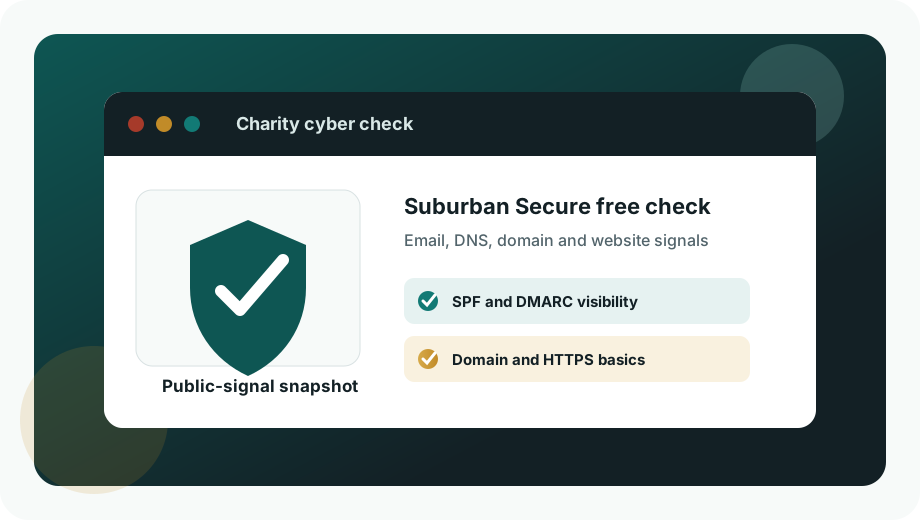
Based on official charity cyber security guidance.
The Australian Cyber Security Centre's charity checklist covers the same practical controls above — MFA, updates, backups, password managers, scam awareness training, access reviews, reputable cloud services and incident response planning.
Official checklist
Read the ACSC cyber security checklist for charities and not-for-profits
Want this built into an ongoing plan?
A Leadership Technology Review is the right starting point for most charities and NFPs — it maps what exists, explains the risk in plain English and gives your team a staged roadmap. Some organisations need more than a one-off review; Managed IT Services covers cyber protection, staff training, backup and disaster recovery as fixed-price, scoped work.
Talk to Suburban SecureNot sure where you stand?
Run the free charity cyber security check first for an instant, plain-English snapshot of your public email, domain and website signals — no signup required.
Run the free charity check